The lineup#
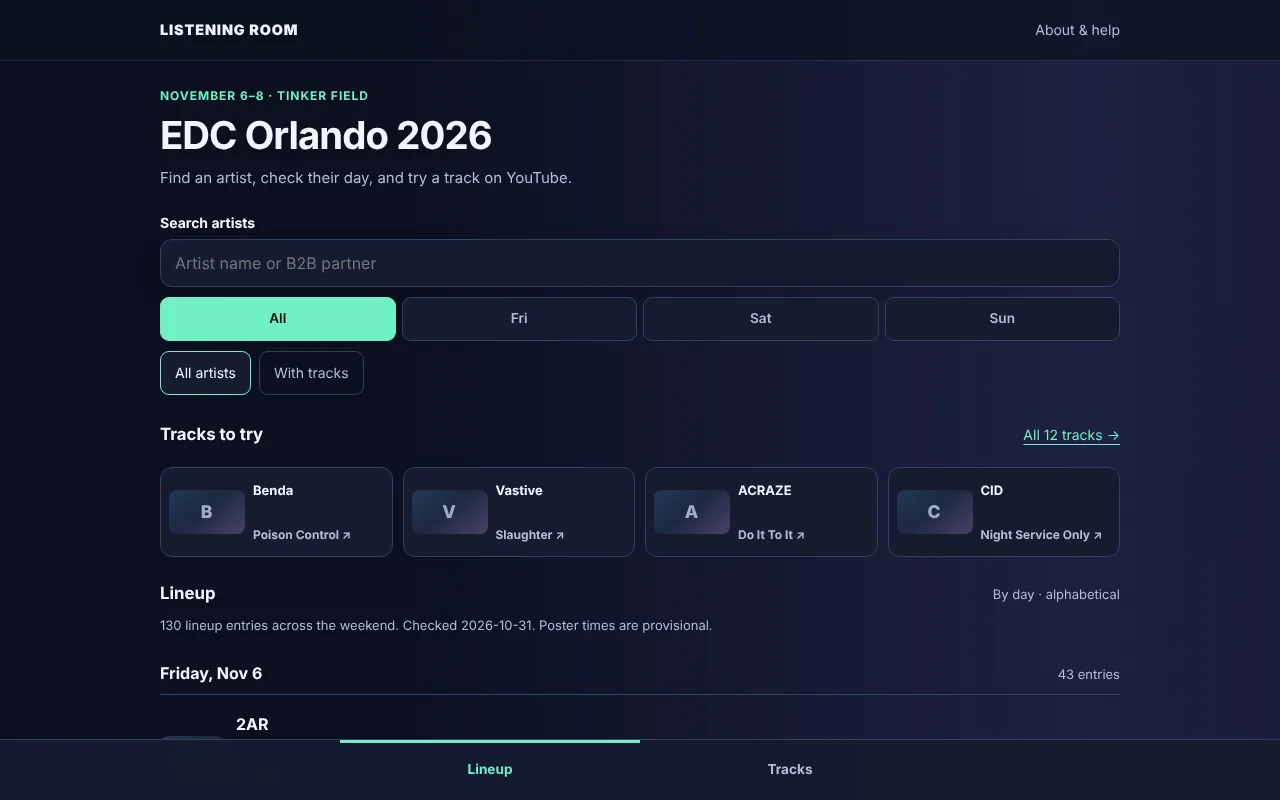
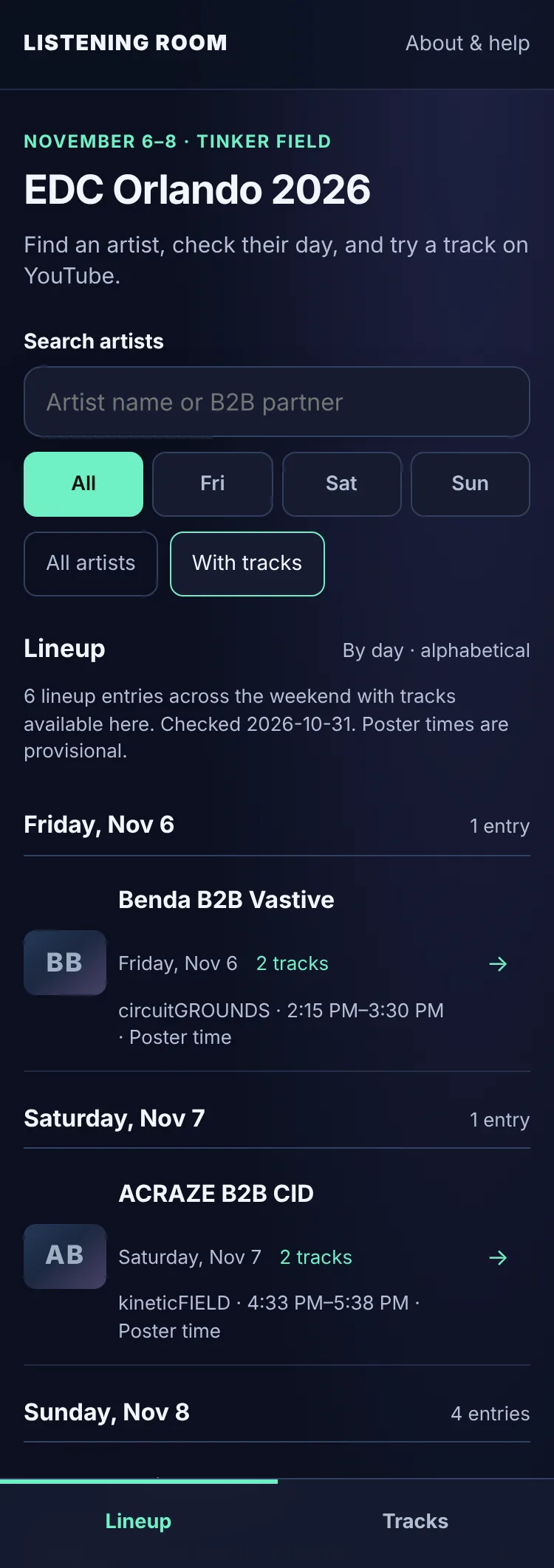
Listening Room opens on the lineup. Everything starts here.
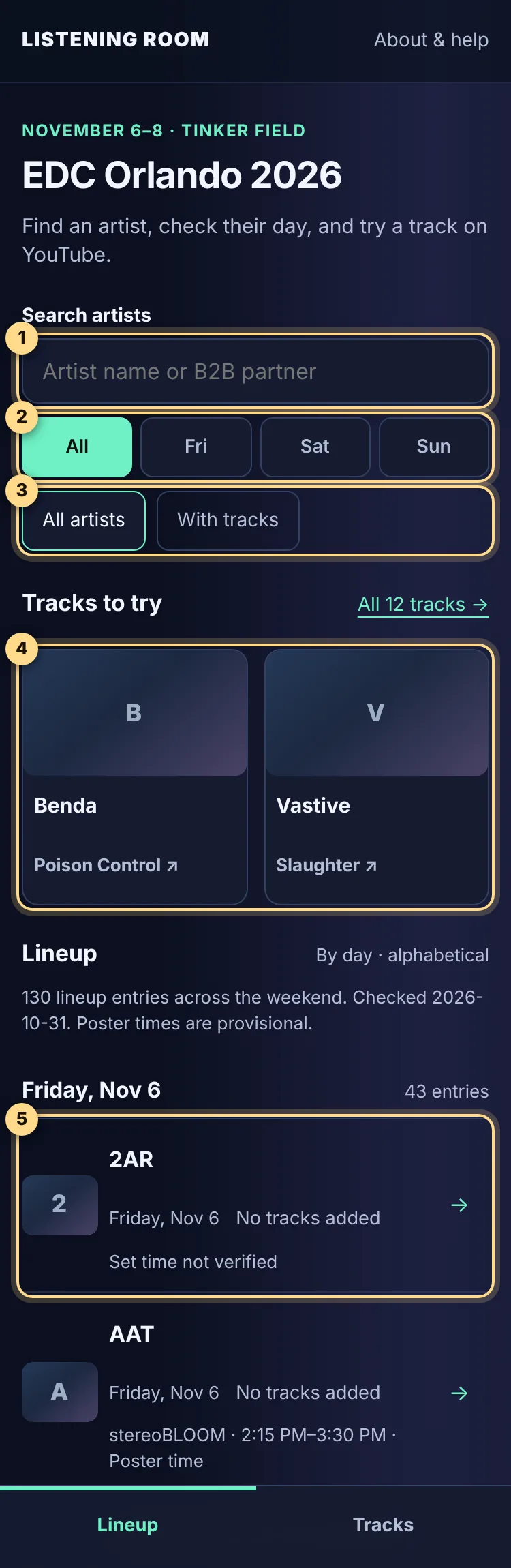
- Search artists finds any act by name.
- Day buttons show everyone, or just Friday, Saturday or Sunday.
- With tracks hides acts that don’t have a track yet. All artists shows everyone again.
- Tracks to try highlights a few acts with a track, so there’s always something to play. All tracks → opens the full list.
- Lineup rows show each act, their day, how many tracks they have (“No tracks added” means none yet) and their set time when one is known.
With All days selected, the lineup is grouped under a heading for each day. Within a day, acts are listed alphabetically, which isn’t the running order; see why.
Search for an act#
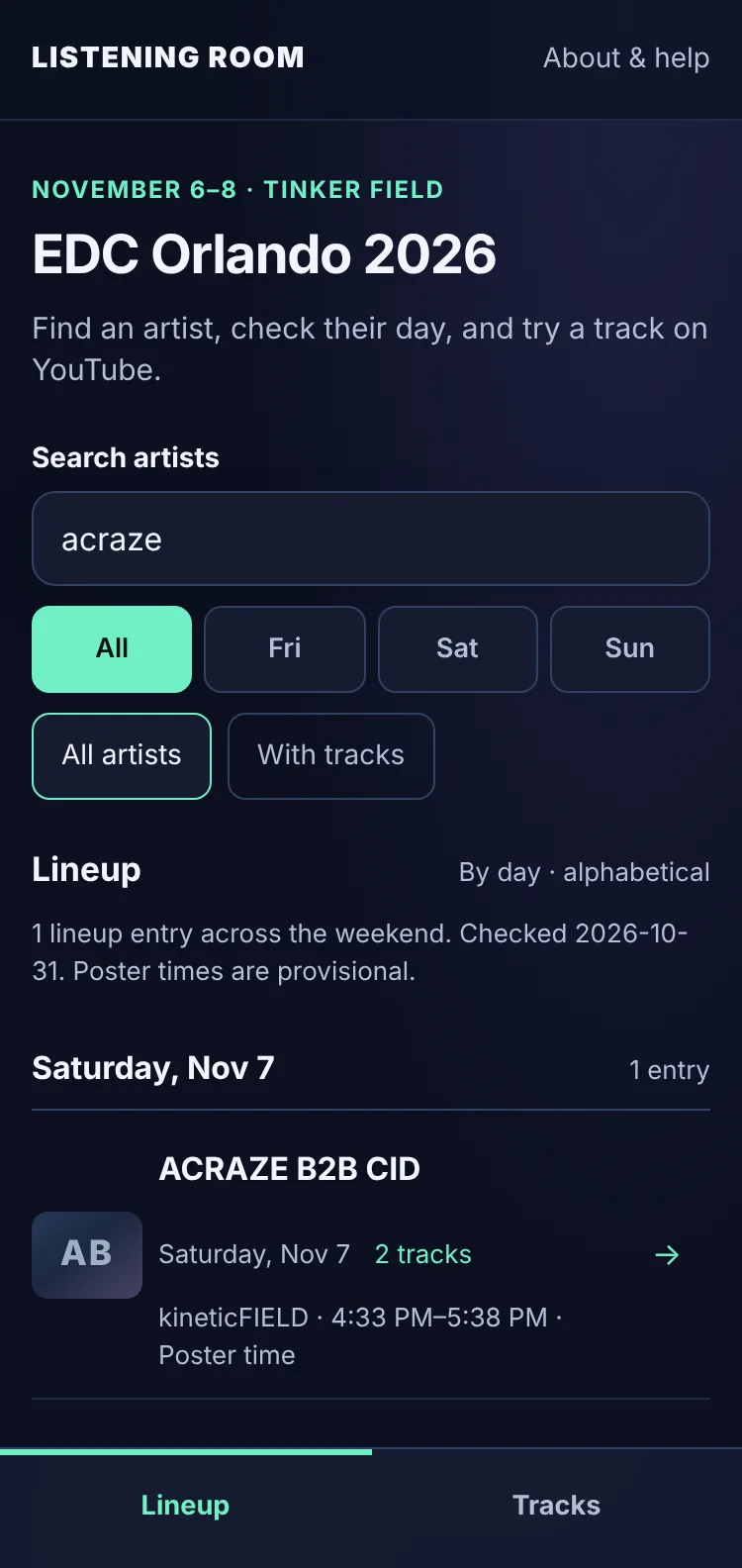
Type any part of a name in the search box (Artist name or B2B partner). Results update as you type.
- Accents and capitals don’t matter. “obskur” finds Obskür.
- Partial names work. “garr” finds Martin Garrix.
- B2B partners are searchable. Searching either artist finds the shared set: “acraze” finds ACRAZE B2B CID.
No match? You’ll see “No artists match these filters.” with a Clear filters button that resets search, day and track filters.
Browse by day#
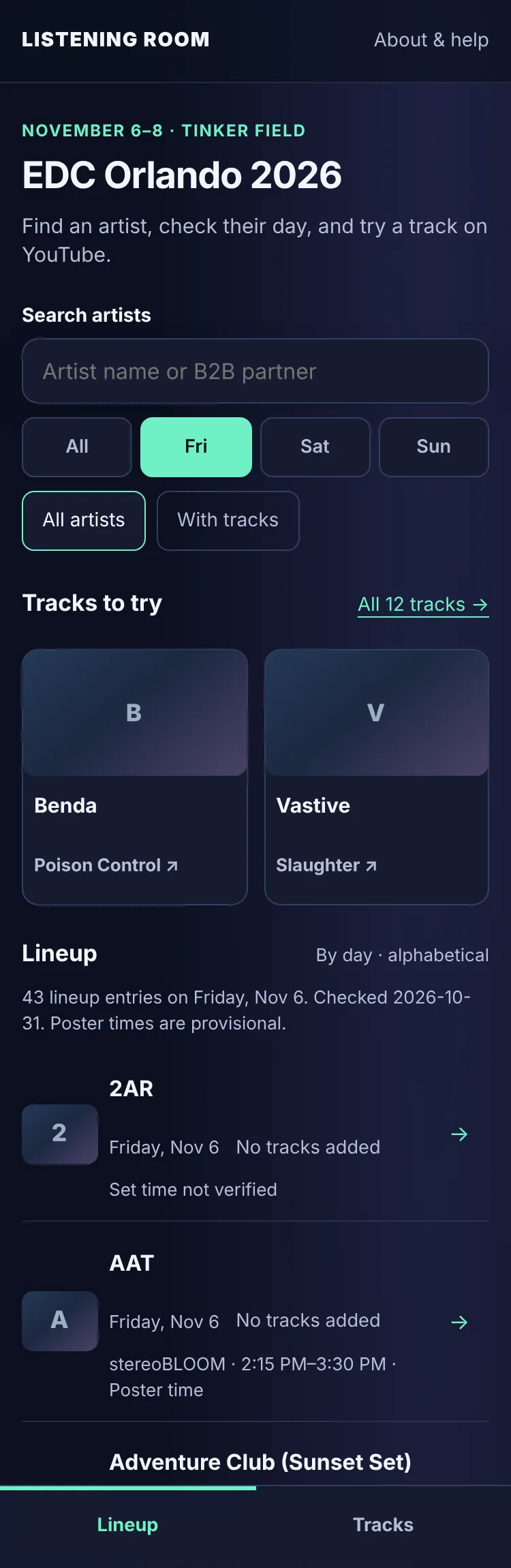
Tap Fri, Sat or Sun to narrow the lineup. A short line above the list confirms how many acts you’re looking at. You can also tap the day shown under any act to see everyone playing that day.
- FridayNov 643 lineup entries1 with tracks
- SaturdayNov 743 lineup entries1 with tracks
- SundayNov 844 lineup entries4 with tracks
Only acts with tracks#
Most acts don’t have a reviewed track yet. Tap With tracks to see just the ones you can play now. It combines with search and days, and it’s part of the link if you share the view: acts with tracks.
Artist pages#
Tap an act’s name to open its page. Here’s what you’ll find:
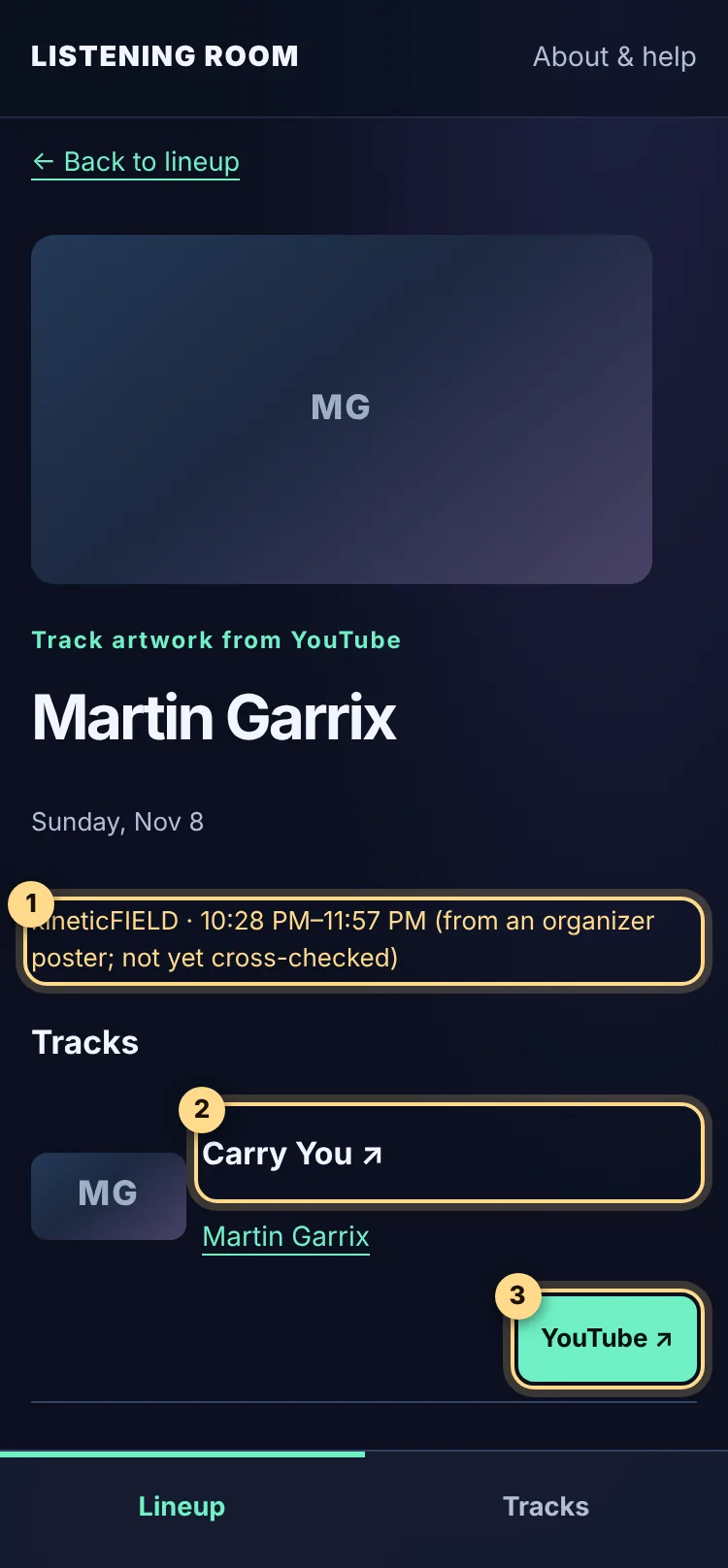
- Stage and time. Times are in Eastern Time. Times copied from an organizer poster are marked “not yet cross-checked”. Learn more in Days, stages & set times.
- Track title. Opens that exact recording on YouTube.
- YouTube button. Does the same thing with a bigger target.
Tap the artist’s name at the top to see every set they’re part of. Try Martin Garrix.
When an act doesn’t have a track yet#
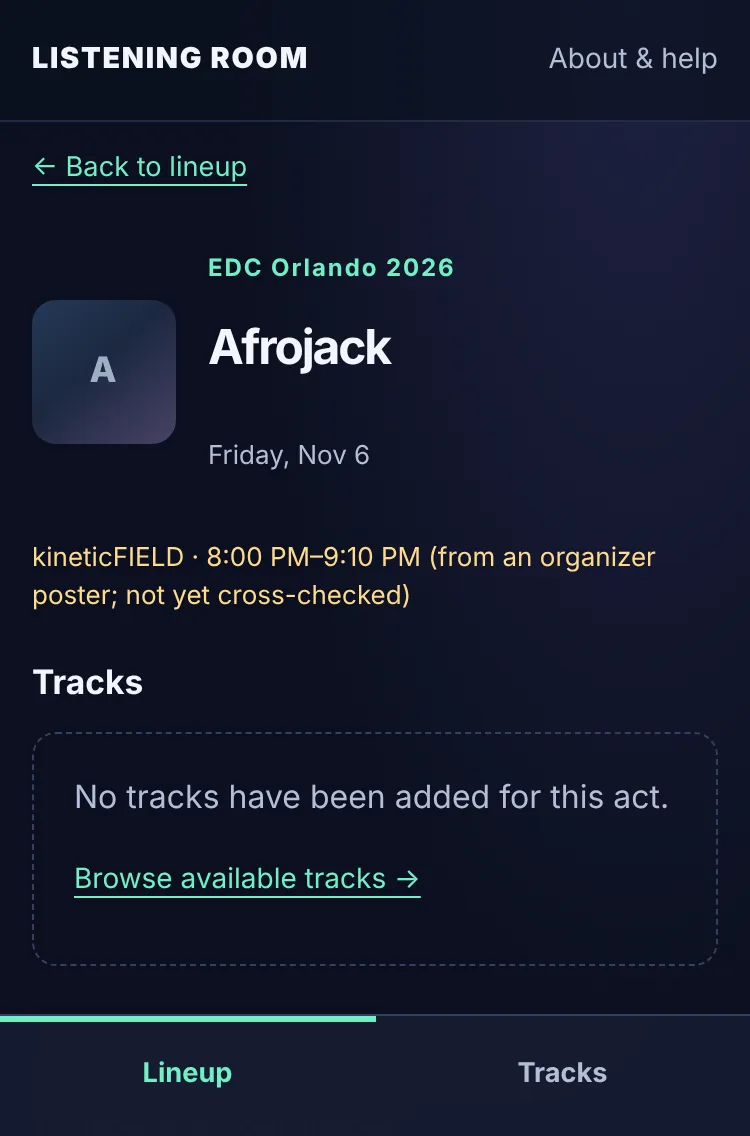
Every act on the lineup has a page, even before a track has been reviewed for them. You’ll see “No tracks have been added for this act.” instead of a guess, plus a link to the tracks that are available. Here’s an example.
Back-to-back (B2B) sets#
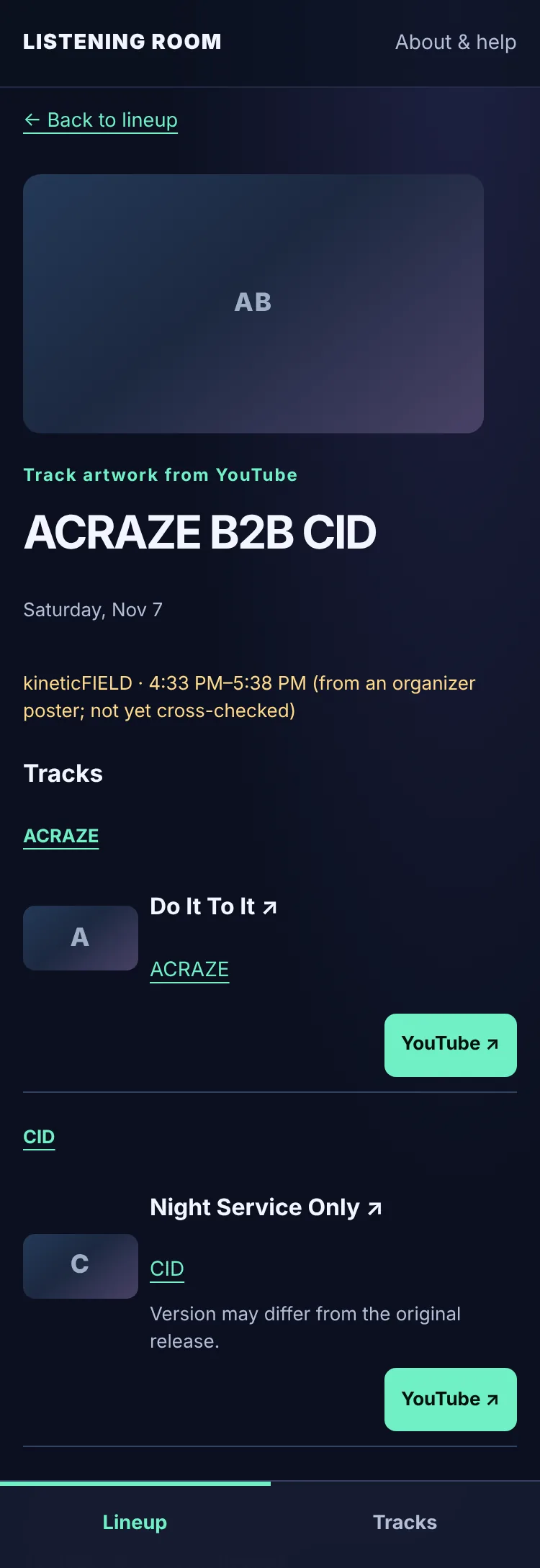
A B2B is two or more artists playing one set together. Listening Room keeps the billing exactly as announced and groups tracks under each artist, so you know whose track you’re hearing. Tap either name to see that artist on their own.
All 8 B2B sets on this year’s lineup:
- Benda B2B Vastive
- Bou B2B Kanine
- Bullet Tooth B2B Sidney Charles
- ACRAZE B2B CID
- Luke Dean B2B George Smeddles (Sunset Set)
- Boys Noize B2B Brutalismus 3000
- Bryan Softwell B2B Chini
- Deorro B2B DJ Diesel
Opening a track#
Track titles and YouTube buttons open the recording in a new tab, or in the YouTube app if you have it. Listening Room never plays music itself and never asks you to sign in to anything.
If a track says “Version may differ from the original release.”, it’s the right track by the right artist, but the video might be a different edit or length than the one you know. How tracks are chosen explains the review.
The Tracks tab#
The bar at the bottom of the screen switches between Lineup and Tracks. Tracks gathers every reviewed track in one list, which is handy when you just want to press play.
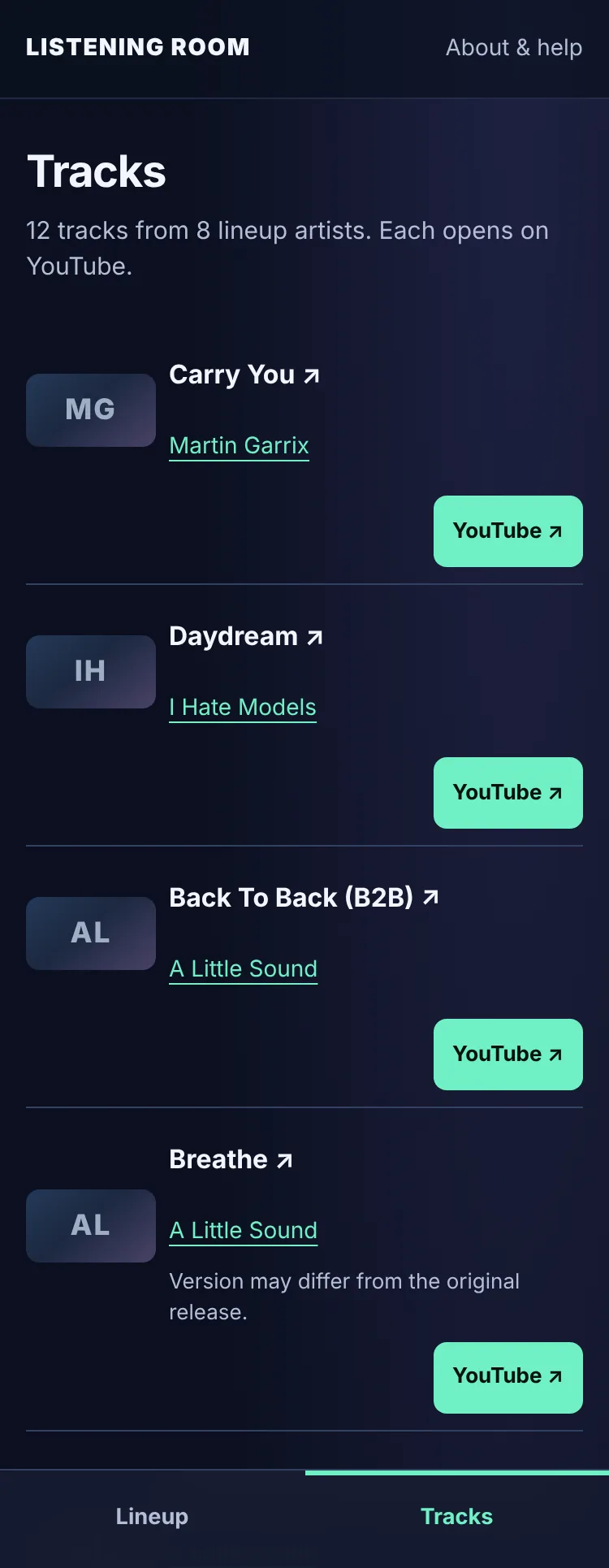
An event-wide playlist on YouTube Music is planned but not available yet. It won’t appear until it has been checked to play for everyone, not just the person who made it. Until then, the Tracks tab says “Not available” instead of showing a link that doesn’t work. The plan is for songs to rotate so every artist gets a spin before anyone repeats.
Going back and sharing#
- Back works the way you expect. Your browser’s Back button, or ← Back to lineup, returns you to the same search, day and filter.
- Every view has its own link. Copy the address from your browser to share an act, a day or a search. For example, here’s Saturday’s lineup.
- Keep it handy. On a phone, use your browser’s Share menu and choose Add to Home Screen to open Listening Room like an app.
On a tablet or computer#
The same app spreads out on bigger screens, with more cards in Tracks to try and room for artwork. On a keyboard, press Tab to move between links and buttons, and Enter to open them. See Accessibility for more.